Work / Handoffs and coordination
Union updates, sent to the right members.
Email updates had low open rates, and personal texting involved too much friction. The union now has one place to send updates, with more members reading and responding.
- Channel
- SMS
- Who uses it
- Union members; authorized board members and team captains; an administrator
- Built
- Member enrollment, group and team filters, sender permissions, and send history
- Messaging registration
- A2P 10DLC campaign approved
- Status
- Live system
Before: emails went unread, and personal texts took effort
Union updates were sent by email, which had a low open rate, or through personal text messages, which involved a lot of friction. Getting the message out did not mean members would see it or respond.
Now: one message, better engagement
An authorized sender writes an update once and sends it to all enrolled members, or selects the membership groups and teams it applies to.
Updates now get higher open and response rates than the previous approach. The union can reach its members with less effort, and more people read and respond.
A look inside the system
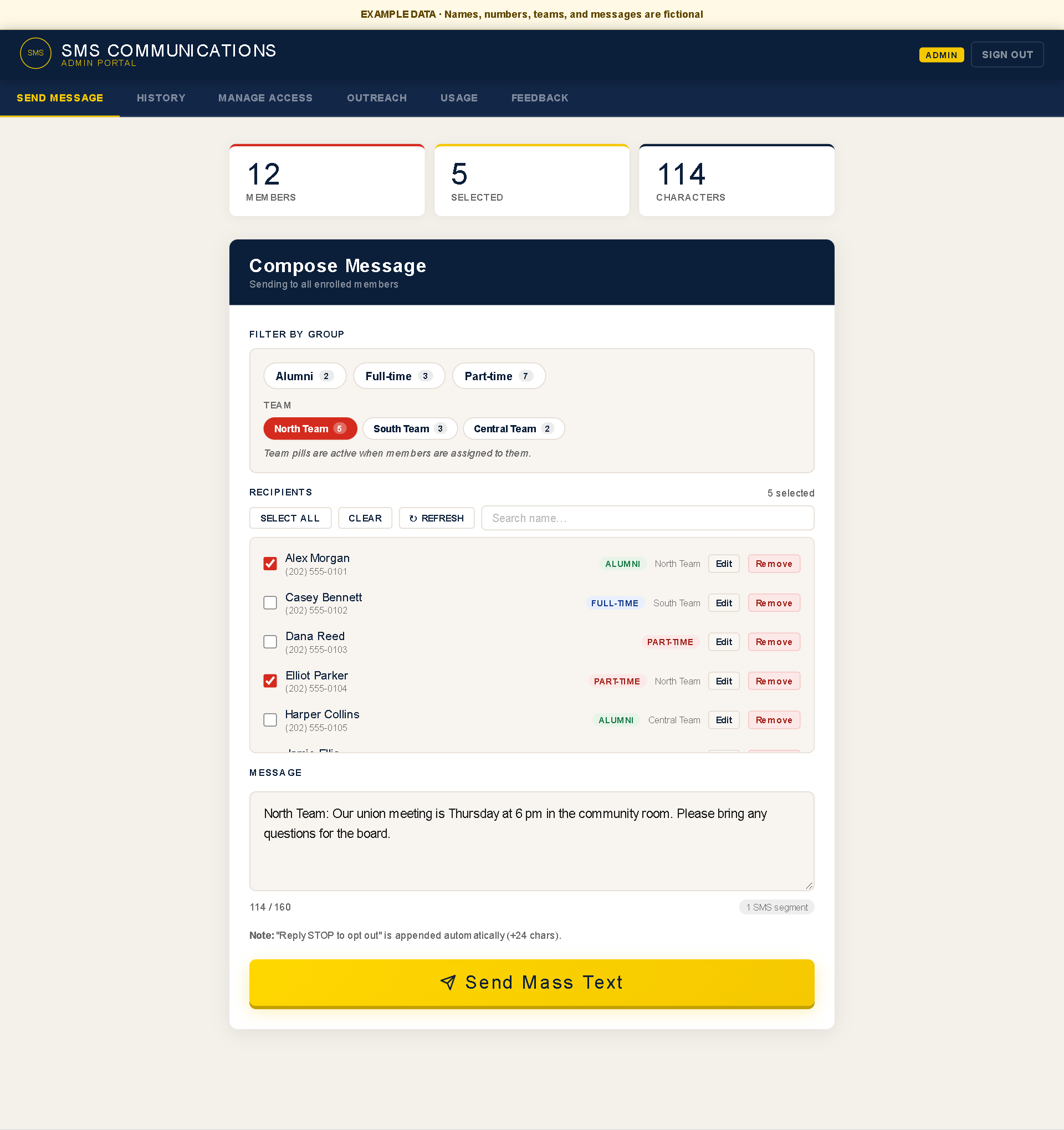
Choose who needs to hear from you.
Filter by membership group or team, check the recipients, and write the message. The sender decides what to say and who should receive it.
Open full-size image (new tab)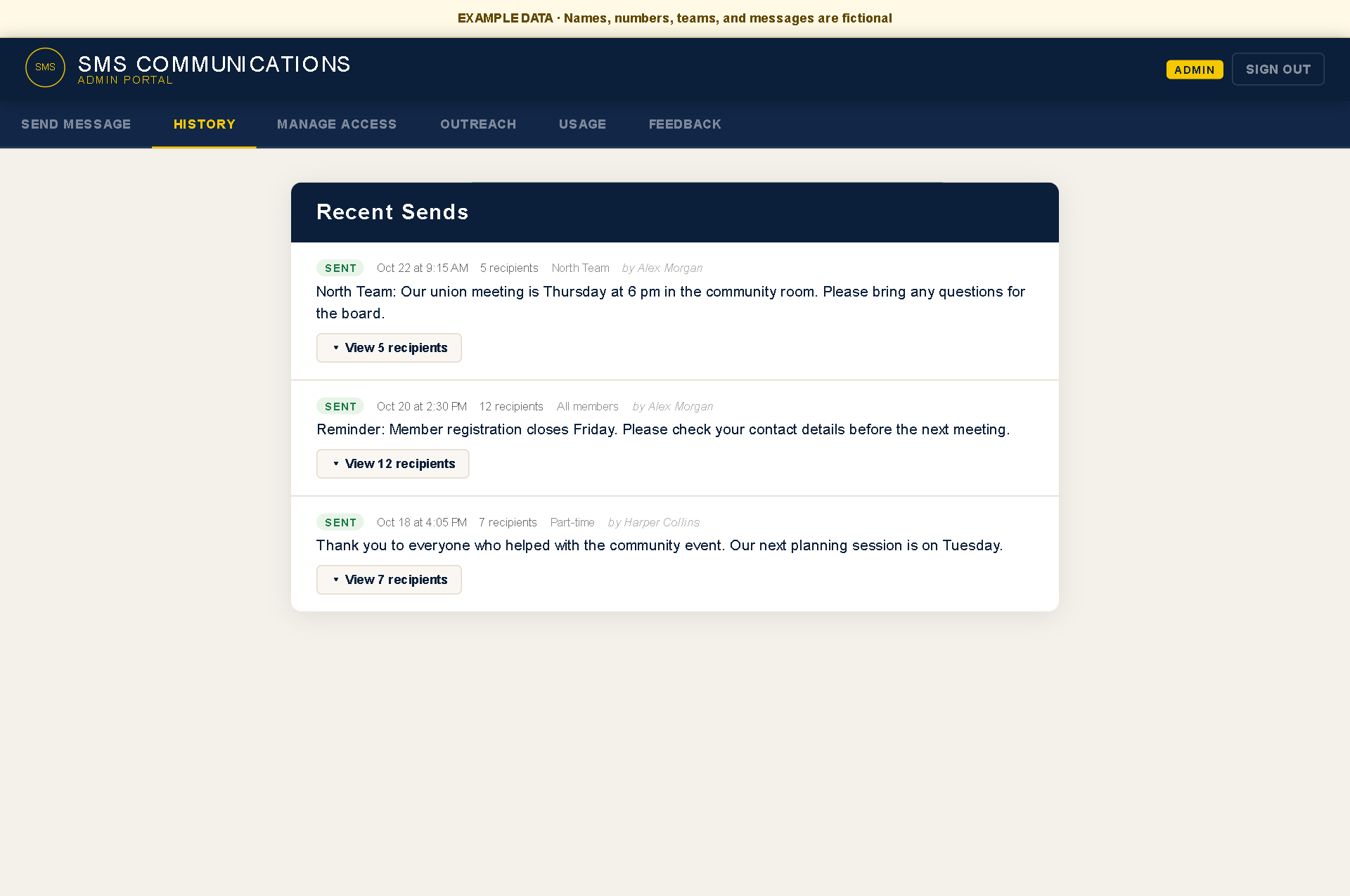
Keep a record of what went out.
Review the message, sender, time, and recipients together. Send history records the action; it is not a delivery receipt for each phone.
Open full-size image (new tab)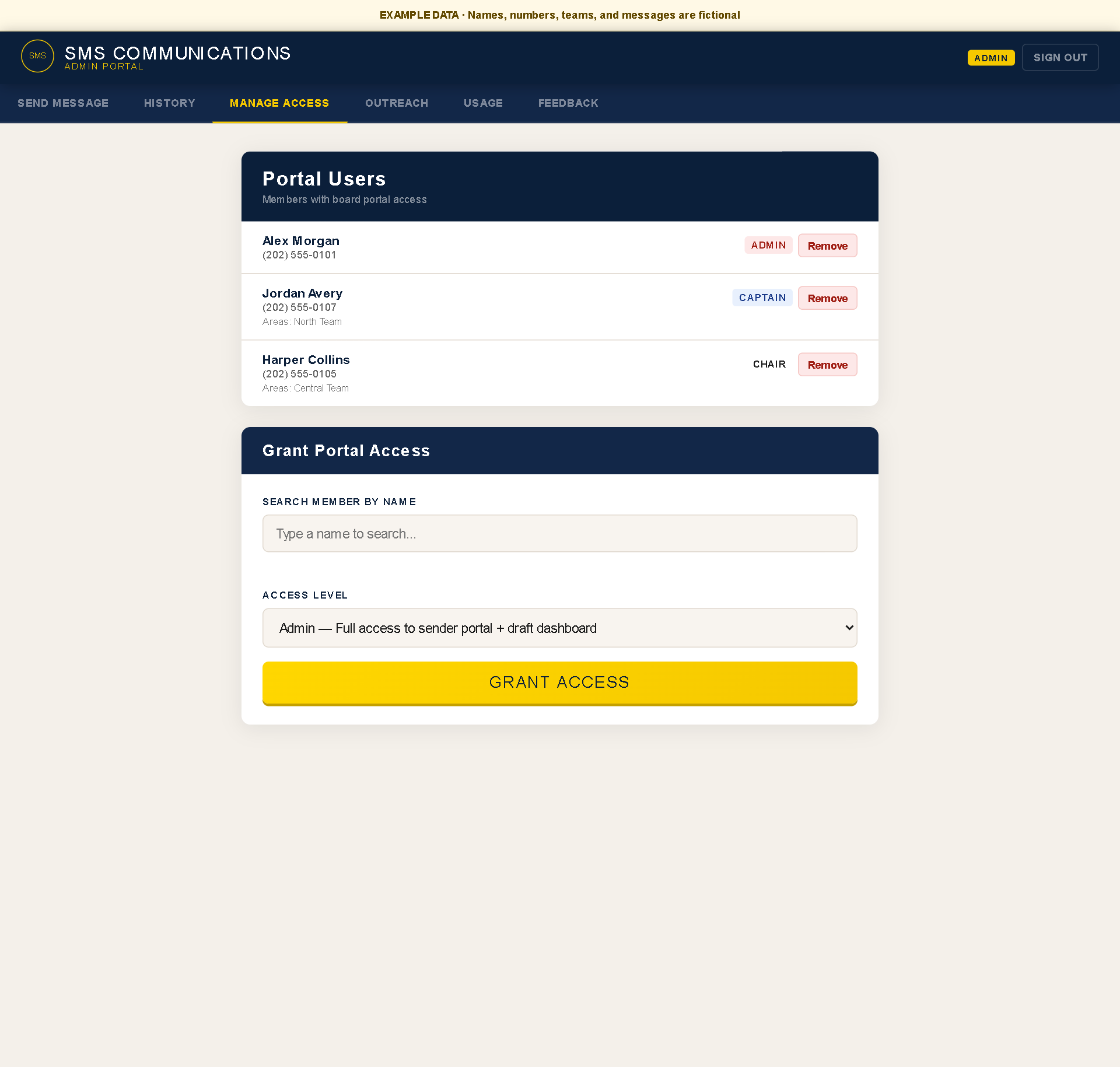
Decide who can use the portal.
An administrator manages portal access and assigned roles. Audience groups such as Alumni, Full-time, and Part-time are separate from these access permissions.
Open full-size image (new tab)The workflow
A labor union needs to communicate with alumni, full-time employees, and part-time employees. Some updates apply to everyone; others are relevant to a particular membership group or team.
Members can enroll by text or through a web form. Authorized senders use the portal to choose recipients, write an update, and send it by SMS. Send history keeps a record of what went out and who sent it.
What I built
- Intake. A member texts a join keyword and answers a short series of questions by reply. A web form feeds the same member list. A welcome message confirms enrollment and tells them how to opt out.
- Sender portal. Authorized representatives write and send updates from a web page. They can select membership groups, teams, or individual recipients within their permitted access.
- Sender permissions. Administrators manage portal access. Team captains can communicate with their assigned teams, with access limited to their responsibilities.
- Send history. Each send is saved, so the history survives a page reload and answers the question 'did that go out, and who sent it?'
Getting the SMS campaign approved
I handled the union's A2P 10DLC registration and secured approval for its SMS campaign. This covered the carrier registration needed for application-based messaging through a U.S. 10-digit phone number.
Member opt-in, enrollment confirmation, and opt-out handling are part of the workflow. The registration work was part of getting this particular system into operational use, alongside building the portal itself. About A2P 10DLC registration.
Why I made these choices
Membership groups and team assignments answer different questions: who an update applies to, and which team needs to hear it. Keeping both available lets a sender choose the relevant audience without rebuilding a contact list each time.
Sender permissions are managed separately from those audience groups. An administrator decides who has access, while send history gives the union a record to check when someone asks what was sent.
What stays manual
- An admin decides who gets sender access and in which work areas, and can revoke it.
- Member corrections and removals are made by an admin, not by automation.
- Deciding what to say and to whom stays with the sender. The system does not draft or time messages.
What I'm still improving
The next improvement is per-message delivery logging and failure monitoring, so a partly failed send is easier to spot and follow up.
- JoinMember texts a keyword and answers a few questionsAutomatic
- RosterMember appears in the list with their groupAutomatic
- Sign inAuthorized sender signs in to the portalPerson
- ComposeSender picks recipients within their role and writes the messagePerson
- SendMessage goes out and is saved to historyAutomatic
- ReviewSender or admin checks the historyPerson